使用 Weave by WandB 進行 Agent Observability
Weave by Weights & Biases (WandB) 提供了一個強大的平台,用於記錄與視覺化模型呼叫。透過將 Google Agent Development Kit (ADK) 與 Weave 整合,您可以利用 OpenTelemetry (OTEL) trace 來追蹤並分析 agent 的效能與行為。
先決條件
-
前往 WandB 註冊帳號。
-
從 WandB Authorize 取得您的 API KEY。
-
在您的環境中設定所需的 API KEY:
安裝相依套件
請確保您已安裝必要的套件:
傳送追蹤資料至 Weave
本範例說明如何設定 OpenTelemetry,將 Google Agent Development Kit (ADK) 的追蹤資料傳送至 Weave。
# math_agent/agent.py

import base64
import os
from opentelemetry.exporter.otlp.proto.http.trace_exporter import OTLPSpanExporter
from opentelemetry.sdk import trace as trace_sdk
from opentelemetry.sdk.trace.export import SimpleSpanProcessor
from opentelemetry import trace

from google.adk.agents import LlmAgent
from google.adk.tools import FunctionTool

from dotenv import load_dotenv

load_dotenv()

# Configure Weave endpoint and authentication
WANDB_BASE_URL = "https://trace.wandb.ai"
PROJECT_ID = "your-entity/your-project"  # e.g., "teamid/projectid"
OTEL_EXPORTER_OTLP_ENDPOINT = f"{WANDB_BASE_URL}/otel/v1/traces"

# Set up authentication
WANDB_API_KEY = os.getenv("WANDB_API_KEY")
AUTH = base64.b64encode(f"api:{WANDB_API_KEY}".encode()).decode()

OTEL_EXPORTER_OTLP_HEADERS = {
    "Authorization": f"Basic {AUTH}",
    "project_id": PROJECT_ID,
}

# Create the OTLP span exporter with endpoint and headers
exporter = OTLPSpanExporter(
    endpoint=OTEL_EXPORTER_OTLP_ENDPOINT,
    headers=OTEL_EXPORTER_OTLP_HEADERS,
)

# Create a tracer provider and add the exporter
tracer_provider = trace_sdk.TracerProvider()
tracer_provider.add_span_processor(SimpleSpanProcessor(exporter))

# Set the global tracer provider BEFORE importing/using ADK
trace.set_tracer_provider(tracer_provider)

# Define a simple tool for demonstration
def calculator(a: float, b: float) -> str:
    """Add two numbers and return the result.

    Args:
        a: First number
        b: Second number

    Returns:
        The sum of a and b
    """
    return str(a + b)

calculator_tool = FunctionTool(func=calculator)

# Create an LLM agent
root_agent = LlmAgent(
    name="MathAgent",
    model="gemini-2.0-flash-exp",
    instruction=(
        "You are a helpful assistant that can do math. "
        "When asked a math problem, use the calculator tool to solve it."
    ),
    tools=[calculator_tool],
)
在 Weave 儀表板中檢視追蹤紀錄
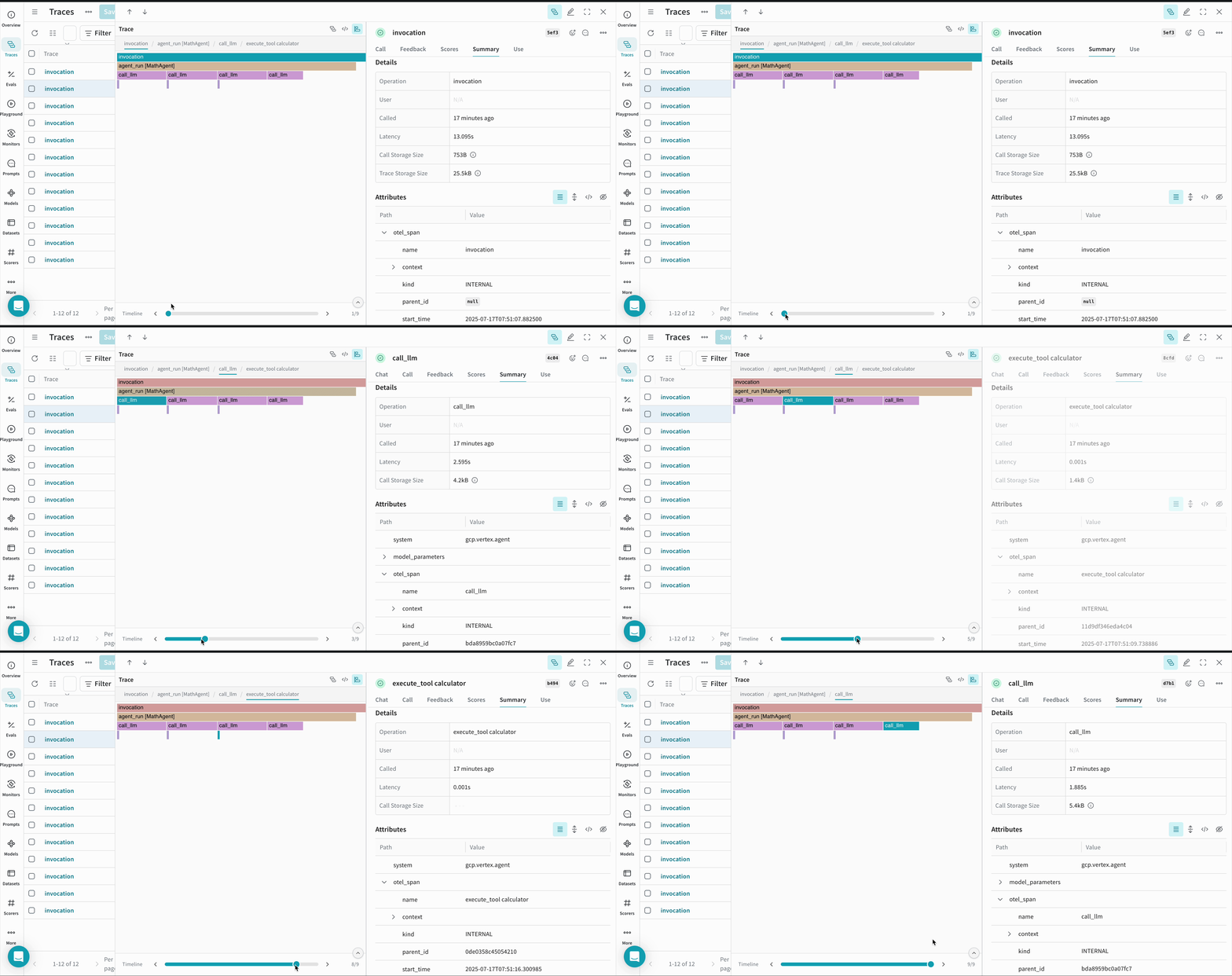
當 agent 執行後,所有的追蹤紀錄都會被記錄到 Weave 儀表板 中對應的專案。
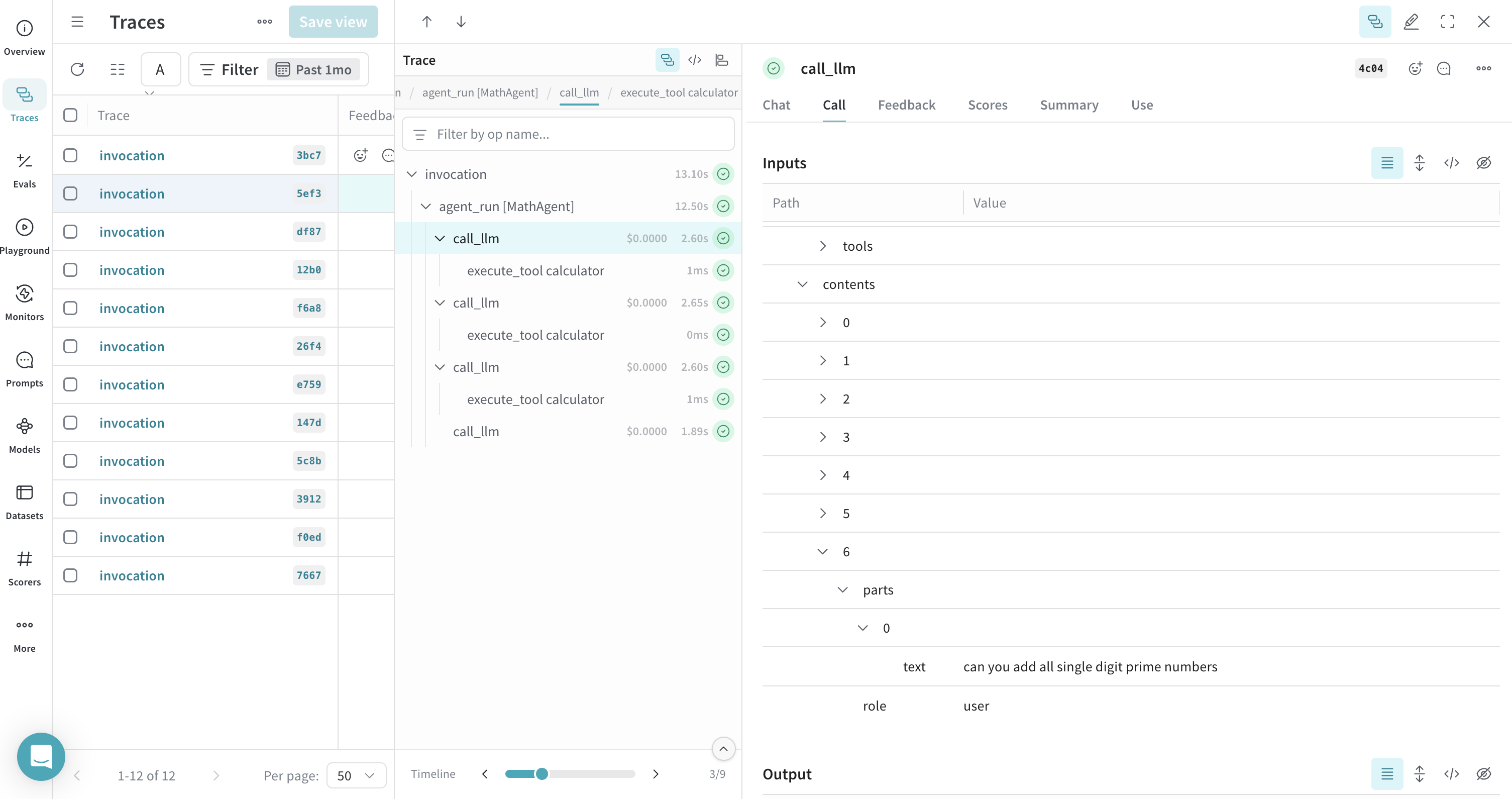
你可以在這裡查看你的 Agent Development Kit (ADK) agent 執行期間所產生呼叫的時間軸視圖——
注意事項
- 環境變數:請確保你的環境變數已正確設定,包括 WandB 及 Google API 金鑰。
- 專案設定:請將
<your-entity>/<your-project>替換為你實際的 WandB entity 與專案名稱。 - Entity 名稱:你可以前往 WandB 儀表板,在左側欄位的 Teams 欄位中找到你的 entity 名稱。
- Tracer Provider:在使用任何 ADK 元件前,務必先設定全域 tracer provider,以確保追蹤功能正常運作。
依照上述步驟操作,即可將 Google Agent Development Kit (ADK) 有效整合至 Weave,實現 AI agent 的模型呼叫、工具呼叫 (tool calls) 及推理過程的完整日誌紀錄與視覺化。
相關資源
-
Send OpenTelemetry Traces to Weave - 詳細說明如何將 OTEL 與 Weave 整合,包括驗證與進階設定選項。
-
Navigate the Trace View - 學習如何在 Weave UI 中有效分析與除錯你的追蹤紀錄,包含理解追蹤階層與 span 細節。
-
Weave Integrations - 探索其他框架整合方式,了解 Weave 如何與你的完整 AI 技術堆疊協同運作。